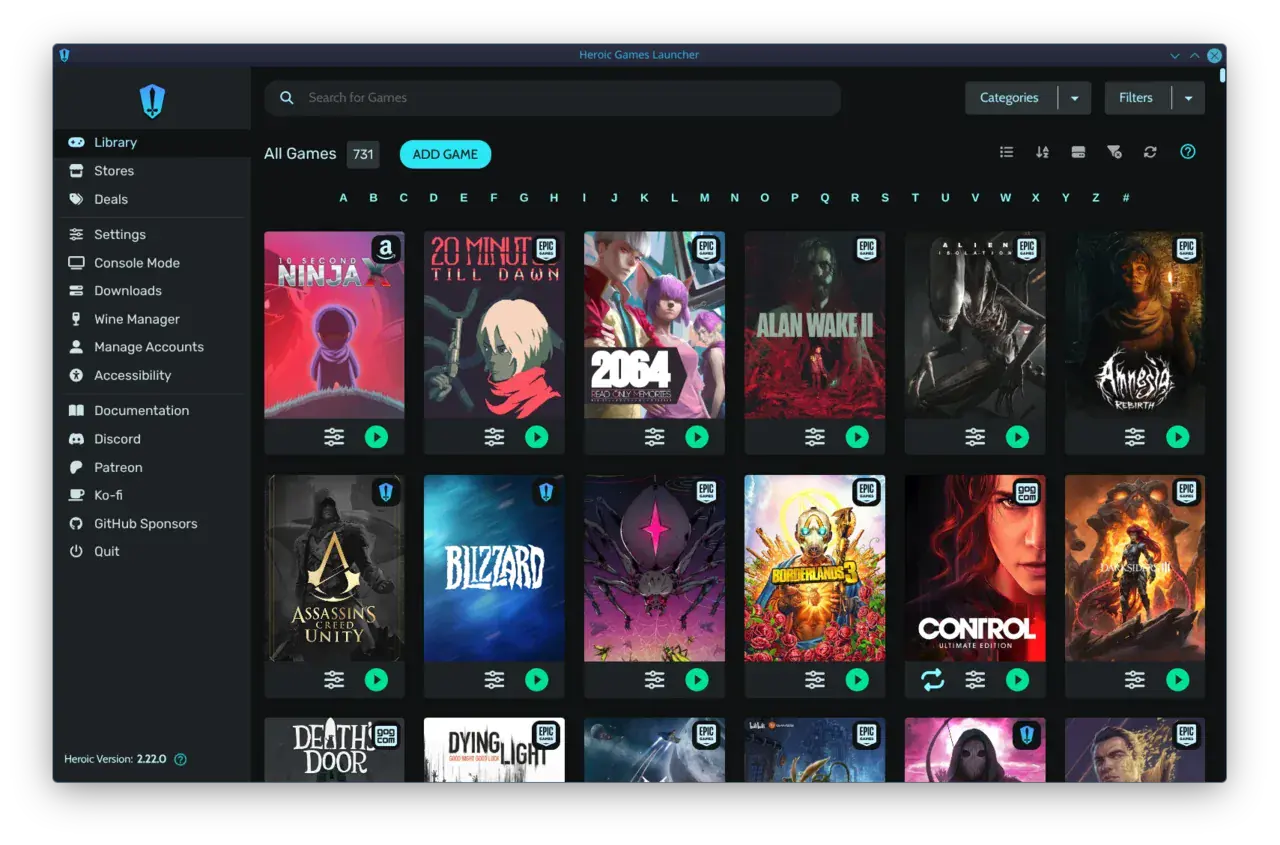

It starts innocently enough. You buy a game on Steam because of a sale, grab another free one from the Epic Games Store on a Thursday, keep your old strategy classics on GOG, and then Game Pass quietly installs a dozen more through the Xbox app. Six months later your library is not a library at all — it is four separate apps, four separate update queues, and four different places to remember where a game actually lives.
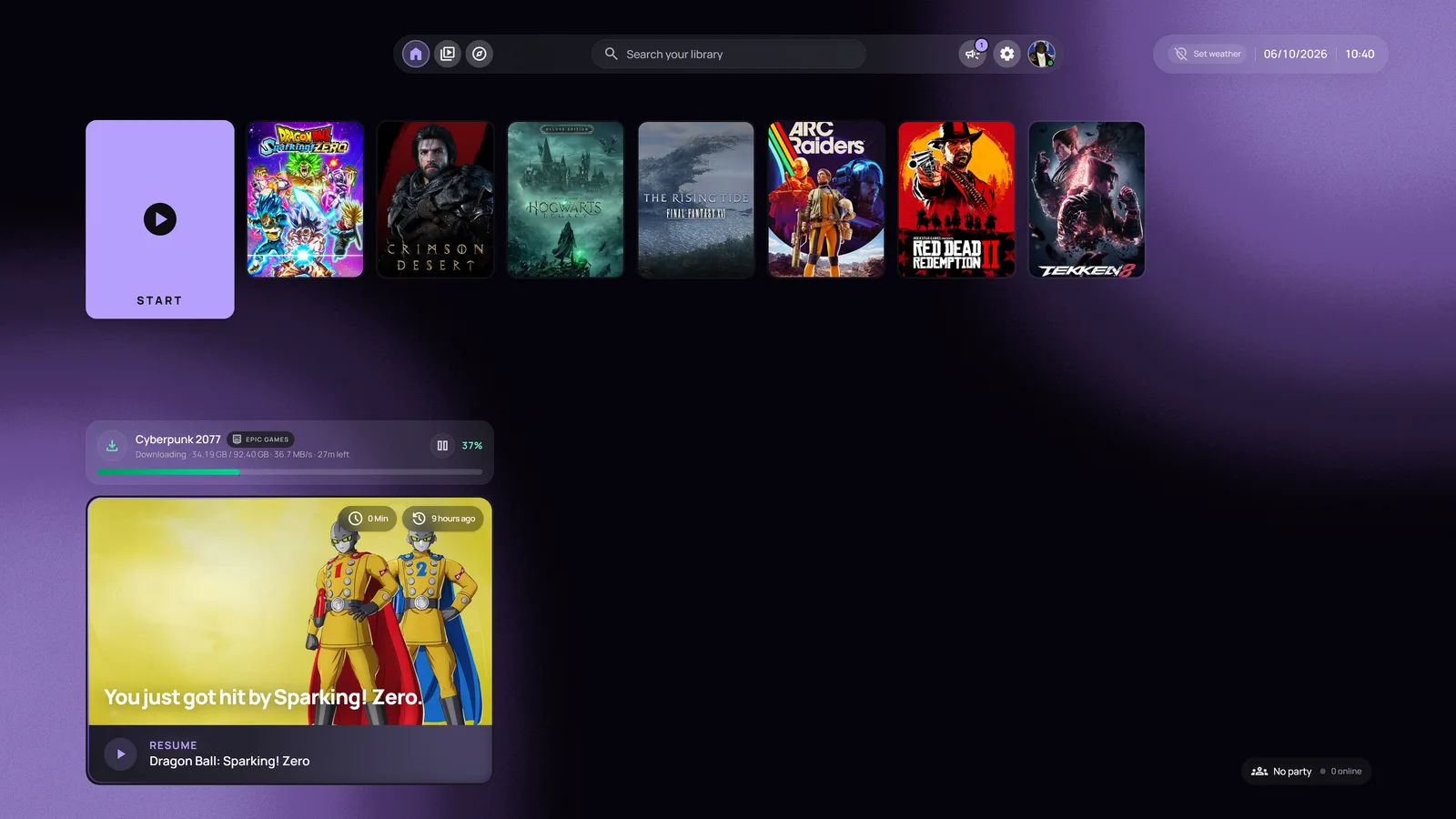
A unified launcher is supposed to end that mess. The idea is simple: one window that sees every store, every install, every game, and lets you launch any of them without thinking about which app it came from. PlayNite has been the community answer to this for years — a free, open-source powerhouse beloved by people who like to tinker. warmUP is the newer arrival, and it comes at the problem from a completely different angle: instead of building the ultimate desktop database, it asks what a PC would feel like if it behaved like a console from the couch.
We spent two weeks living with both — same machine, same messy library of 240-odd games across four stores — to find out which one you actually want running when you sit down to play.
Setup and first run
PlayNite is powerful, and it wears that power on its sleeve from the very first launch. Out of the box it is a capable library manager, but to get it looking and behaving the way the screenshots promise, you are pulling in plugins, configuring metadata sources, picking a theme, and deciding how aggressively it should scrape cover art. Power users love this. Everyone else stares at a settings tree wondering which of forty options matters.
warmUP takes the opposite stance. On first run it scans for installed stores, finds your games automatically, pulls in artwork, and drops you straight into a controller-ready grid. There is no plugin marketplace to browse and no theme to choose before you can play. The trade is obvious — you get fewer knobs to turn — but for most people the time from install to first launch is the number that actually matters, and warmUP wins it decisively.
Head to head
PlayNite
Open-source power tool
- Auto-detect storescheck_circle
- Console-style couch UIcancel
- Setup time20–40 min
- Controller-first navigationcancel
- Plugin ecosystemHuge
- PriceFree
warmUP
PickCouch feeling on PC
- Auto-detect storescheck_circle
- Console-style couch UIcheck_circle
- Setup time< 1 min
- Controller-first navigationcheck_circle
- Plugin ecosystemBuilt-in
- PriceFree tier
Living with the library
Day to day, the difference in philosophy shows up everywhere. PlayNite treats your collection like a database to be organized — and it is genuinely excellent at that. Custom categories, advanced filters, bulk metadata edits, completion tracking: if you are the kind of person who enjoys curating a 500-game backlog into neat shelves, nothing else comes close. It rewards the effort you put in.
warmUP treats your collection like a shelf you walk up to and grab from. The grid is big, the cover art does the talking, and recently played and recently installed titles float to the top without you asking. You spend less time managing and more time launching. After two weeks, the honest summary is that PlayNite made our library feel impressively organized, and warmUP made us actually play more of it.
“PlayNite is the best tool I have ever used for cataloguing games. warmUP is the first one that made me forget I was using a tool at all.”
— Rosa del Pero
Less desktop. More play.
Every game deserves one calm, big-screen home
Get warmUP now and leave keyboard-and-mouse launcher juggling behind.
The couch test
This is where the two diverge most, and it is the test warmUP was built to win. PlayNite has a fullscreen mode, and it is a good one — but it is a mode layered on top of a desktop application. You can feel the seams: a stray dialog opens with a mouse cursor, a setting assumes a keyboard, a plugin pops a window that gamepad navigation cannot reach.
warmUP is couch-first from the ground up. Every screen assumes a controller in your hand and a TV ten feet away. Focus rings are big and obvious, the d-pad moves exactly where you expect, and a single button launches a game with no mouse anywhere in sight. We handed both setups to someone who had never seen either app and asked them to start a game from the sofa. With warmUP they were playing in under a minute. With PlayNite they reached for the mouse.
So which should you pick?
Neither of these is a bad launcher — they are aimed at different people. If you love customization, run a massive backlog, and treat your library as a project worth curating, PlayNite is still the most capable free tool in the category and nothing here changes that. If you want a PC that behaves like a console the moment you sit down, with zero setup and a controller that just works, warmUP is the one you will actually keep open.
Bottom line
- PlayNite wins on raw customization, plugins, and library management depth.
- warmUP wins on time-to-fun, controller feel, and the living-room experience.
- Pick PlayNite if curating is the hobby. Pick warmUP if playing is.
- For most people who just want a console-like PC with no tinkering: warmUP.
Written by
Rosa del Pero
Senior Gaming Editor
Rosa covers launchers, storefronts and the tools that shape how we play on PC. She has spent a decade reviewing gaming software and still believes the couch is the best seat in the house.
Comments
Loading comments…