
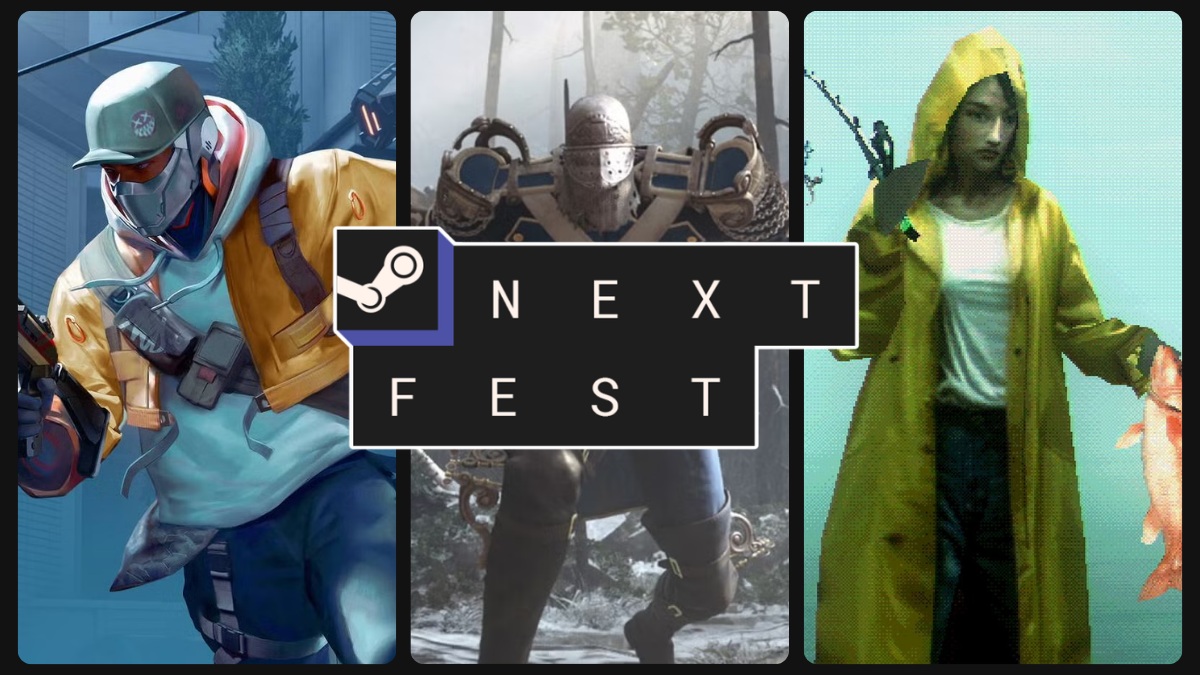
4,931. That's the number of playable demos Valve dropped into Steam Next Fest June 2026, as reported by TechTimes. It's the biggest edition in history, and if you've opened the store page in the last week, you've probably felt it: the slow, creeping dread of too many choices. Your mouse hovers over a thumbnail. You scroll. You scroll some more. An hour later, you've downloaded nothing and your brain is exhausted. That's steam next fest decision paralysis, and it's not your fault.
The event officially wraps up today, June 22, at 1:00 PM ET, after which most demos vanish. But the lessons here aren't just for the final hours-they're for every Next Fest going forward. I'm Mika, and I've gathered strategies from community guides, player forums, and my own trial-and-error across multiple Next Fests. This guide will give you a repeatable system to cut through the noise, find games you'll actually love, and stop the endless scroll.
Why 4,931 Demos Break Your Brain
Psychologists call it the "paradox of choice" or choice overload. When faced with too many options, our brains short-circuit. Instead of feeling liberated, we feel anxious, paralyzed, and ultimately less satisfied with whatever we pick. The Decision Lab notes that this bias leads to decision paralysis and a nagging sense that we might have missed something better. Now apply that to a digital storefront with nearly five thousand free games, and you've got a recipe for a very un-fun weekend.
“Soon after my eyes met the endless ream of demos, decision paralysis once again set in.”
— Kris Holt, Engadget
Holt's experience mirrors what players have publicly described as an "exhausting" browsing experience, according to TechTimes. And it's not just the volume. Nearly 1,700 of the registered products carry AI-content disclosure flags-meaning roughly one in five demos uses generative AI. Without a toggle to filter those out, players are left squinting at store pages, trying to decide if a game's soul is human or machine-generated. That extra cognitive load turns a fun discovery event into a chore.
The Hidden Bias of Steam's Recommendation Engine
You might think Steam's algorithms are there to help. And they do-sort of. On Day 3 of Next Fest, a machine-learning recommendation system kicks in, personalizing the browsing carousels based on your activity. The catch? It heavily amplifies games that already have high wishlist counts. Studios entering the fest with fewer than 2,000 wishlists average only about 300 additional wishlists during the entire event, while top performers already had over 10,000. The rich get richer, and the hidden gems stay buried.
This means if you rely on the default "Top Wishlisted" or "Recommended for You" tabs, you're mostly seeing the same popular titles that dominate the default carousels. That's fine if you want the safe bets, but it completely undermines the spirit of discovery that makes Next Fest special. To beat steam next fest decision paralysis, you have to actively work against the platform's own gravity. A practical tip: use external tools like SteamDB to sort by "fewest followers" or check indie curation blogs to surface games the algorithm ignores.
6 Practical Steps to Beat Demo Overload
I've gathered these strategies from community guides, player forums, and my own trial-and-error across multiple Next Fests. They're designed to lower the mental stakes and turn browsing back into play.
Step 1: Adopt a 'Just Looking' Mindset
The biggest source of paralysis is the pressure to optimize. You feel like you need to find the best demos, play them all, and emerge with a perfect wishlist. Drop that. Treat Next Fest like window shopping, not a final exam. Set a timer for 30 minutes, click through genres you enjoy, and add anything that looks mildly interesting to your library without playing it immediately. You're building a personal demo playlist, not making lifelong commitments. This simple reframe, recommended by the indie curation blog PixelByteGaming, removes the fear of missing out and lets you actually enjoy the browsing.
Step 2: Ignore 'Top Wishlisted' and Browse by Genre + Release Date
Instead of the front-page carousels, head straight to the Next Fest hub and filter by two or three of your favorite genres. Then sort by release date to surface newly added demos that haven't been buried yet. This method, highlighted by the community guide site GamerMarkt, helps you find games that aren't already riding a wave of pre-existing hype. You'll see more experimental titles and early builds from smaller teams-exactly the kind of stuff that makes Next Fest worthwhile.
Step 3: Set a Hard 15–20 Minute Limit Per Demo
Once you start playing, it's easy to sink an hour into a demo that never quite clicks. Give each game 15 to 20 minutes. If the core loop hasn't grabbed you by then, move on. Wishlist immediately if you like it-many demos are pulled after the event, and a wishlist is your only bookmark. This keeps your session moving and prevents the backlog of unplayed demos from piling up.
Step 4: Keep a One-Sentence Journal
After you close a demo, write one or two sentences about it. For example: "Minecraft meets Dark Souls – abandoned after 10 min, combat too clunky." Or: "Surprisingly tight platformer, wishlisted instantly." What worked? What didn't? Would you play the full game? It sounds simple, but this tiny habit solves the biggest post-fest problem: forgetting what you played. PixelByteGaming recommends this as a way to solidify impressions and make later wishlist decisions trivial. A Notepad file or a sticky note app is all you need.
Step 5: Delete All Demos After the Fest
When the event ends, your hard drive will be littered with gigabytes of demo files you'll never touch again. Use the cleanup as a ritual. Go through your journal, finalize your wishlist, and uninstall everything. This not only frees up space but also gives you a clean slate for the upcoming Summer Sale. It's a satisfying way to close the chapter.
Step 6: Curate Your Wishlist Before the Summer Sale
Once the demos disappear, you're left with a wishlist and a head full of half-remembered gameplay. Now's the time to curate. Revisit your journal, watch a trailer or two for the games that stuck with you, and trim the list down to titles you'd actually buy. The Steam Summer Sale is right around the corner, and a focused wishlist means you'll snag the games you really want without impulse-buying filler.
Final Takeaways
Your Next Fest Survival Kit
- Choice overload is real: nearly 5,000 demos trigger decision paralysis, but you can short-circuit it with a relaxed, structured approach.
- Don't trust the default tabs-browse by genre and release date to find hidden gems the algorithm ignores.
- Set a 15–20 minute timer per demo, wishlist on the spot, and keep a one-sentence journal to remember what you played.
- After the fest, delete all demos and refine your wishlist before the Summer Sale hits.
- To make post-fest gaming seamless, you may also want a launcher that aggregates your purchases across storefronts.
Optional Tool Tip
Streamline your curated library after the fest
If you've bought games across Steam, Epic, GOG, or emulators, a unified launcher like warmUP can bring them into one controller-friendly interface. It's designed for zero-setup couch play-no keyboard required. Consider it if you want to jump straight into your new wishlist picks without juggling storefronts.
Written by
Mika Lindqvist
Hardware & Performance
Mika benchmarks everything that runs a game — from handhelds to living-room rigs. If a frame drops, he wants to know why.
Comments(0)
No comments yet. Be the first to share your thoughts.