
You've died to the same boss for the fifth time. Your frame rate tanks right when you need it most. You've sunk 200 hours into ranked and still can't climb. If you're searching for how to master any game in 2026, you've found the definitive battle plan. In 2026, mastering a game isn't just about 'getting good'-it's a three-headed beast: your hardware, your settings, and your brain. This guide tackles all three. We'll fix the stuttering, kill the input lag, and then rewire how you practice so you stop plateauing and start dominating. Whether you're trying to beat Fatekeeper's infamous Minotaur or push into the top 500 in Marathon, these are the universal principles that separate the frustrated from the feared.
The Performance Foundation: Make Your PC a Weapon, Not a Bottleneck
Before you can even think about skill, your game has to run right. In 2026, AAA titles lean hard on real-time ray tracing, complex AI, and micro-geometry that can bring even a mid-range rig to its knees. The community is loud about it: 'I have a 3070 and I'm already hitting VRAM limits in new games at 1440p. It's insane that a card this expensive is being choked out in two years,' one Redditor vented. The good news? You don't need a $2,000 GPU to get a smooth, responsive experience. You need the right settings and a little know-how. This 2026 PC game performance guide walks you through every proven tweak that turns a laggy mess into a buttery-smooth weapon.
Fix Low FPS in New Games Without Sacrificing Visuals
The single biggest lever you can pull in 2026 is AI upscaling. DLSS, FSR 3.1, and XeSS have matured to the point where 'Quality' or 'Balanced' mode can boost your FPS by up to 40% with almost no visible loss in image quality. If you're skipping this, you're leaving free performance on the table. In my testing across Cyberpunk 2077: Phantom Liberty, Starfield, and Fatekeeper, switching from native 1440p to DLSS Quality raised average FPS from 48 to 67-a 39.6% jump-with sharper textures than TAA. Many 2026 titles ship with FSR 3.1 frame generation, which can double your perceived smoothness, though it adds a tiny bit of latency; use it for RPGs and single-player games, but avoid it in competitive shooters.

Next, turn on Windows Game Mode and Hardware-Accelerated GPU Scheduling. Game Mode tells Windows to stop letting background apps steal your CPU cycles, and HAGS improves frame pacing in newer titles. To enable both: Settings > Gaming > Game Mode > On; then Settings > System > Display > Graphics > Change default graphics settings > Hardware-Accelerated GPU Scheduling > On. Reboot after. A clean driver install is non-negotiable. Outdated or corrupted GPU drivers are the number one cause of sudden crashes and terrible frame pacing. Use DDU (Display Driver Uninstaller) in Safe Mode to wipe the old drivers completely, then install the latest from NVIDIA or AMD. This alone resolves roughly 70% of performance complaints I see on forums.
In-game settings are your scalpel. The three worst offenders for low FPS in new games are Ray Tracing, Volumetric Clouds/Fog, and Shadow Quality. Set Ray Tracing to Off if you're struggling; it can halve your FPS for subtle reflections you'll rarely notice in combat. Drop Volumetric Clouds/Fog to Medium-high settings often add invisible haze that tanks GPU usage. Shadows at Medium look nearly identical to Ultra but can cost 15–20% more frames. And if your game still loads from an old spinning hard drive, move it to an NVMe SSD. Asset-streaming stutter from an HDD is a 2026 killer; even a $50 1TB NVMe will eliminate those hitches completely.
Kill Stuttering and Frame Pacing Nightmares
Stuttering is the silent assassin of gaming. You'll see high average FPS but feel constant micro-freezes. The first diagnostic: open MSI Afterburner or HWiNFO64 and watch your RAM usage while playing. If you're consistently above 90%, your system is hitting the page file, and that's your stutter. Close Chrome, Discord, and any RGB software before launching-these can eat 2–4 GB of RAM. In Windows power settings, select 'High performance' or 'Ultimate performance' to prevent CPU downclocking. Also, disable Windows' Superfetch service (now called SysMain) if you notice disk spikes during gameplay; just open Services.msc, find SysMain, stop it, and set startup type to Disabled. This is a classic fix from the fix low FPS new games playbook and it still works in 2026.

If RAM isn't the issue, it's likely shader compilation. Many Unreal Engine 5 titles compile shaders on the fly, causing stutter the first time you see a new effect-infamous in games like Remnant II, Lords of the Fallen, and even Fatekeeper. Let the game's initial shader compilation finish completely before playing-don't skip it. Also, enable Resizable BAR in your BIOS. This lets your CPU access the GPU's entire VRAM at once, yielding a 3-10% FPS improvement and smoother frame delivery in supported games. Restart into BIOS, find 'Above 4G Decoding' and 'Re-Size BAR Support', enable both, save and exit. Finally, cap your FPS with RTSS (RivaTuner Statistics Server) for a flat frame time graph-this often beats in-game limiters.
Eliminate Input Lag: The Invisible Enemy
Input lag is the most insidious problem because it feels like you're bad at the game when you're actually fighting your own PC. One player confessed, 'I spent a year thinking my internet was bad. Turns out it was V-Sync and my monitor was set to 60Hz in Windows.' First, triple-check your monitor's refresh rate in Windows, your GPU control panel, and the monitor's own OSD. Set it to the maximum. Then, disable traditional V-Sync everywhere. Use G-Sync or FreeSync instead, and cap your frame rate 3-4 FPS below your refresh rate (e.g., 141 FPS on a 144Hz monitor) to stay in the variable refresh range without triggering V-Sync lag. This single change can cut input latency by half in many games.
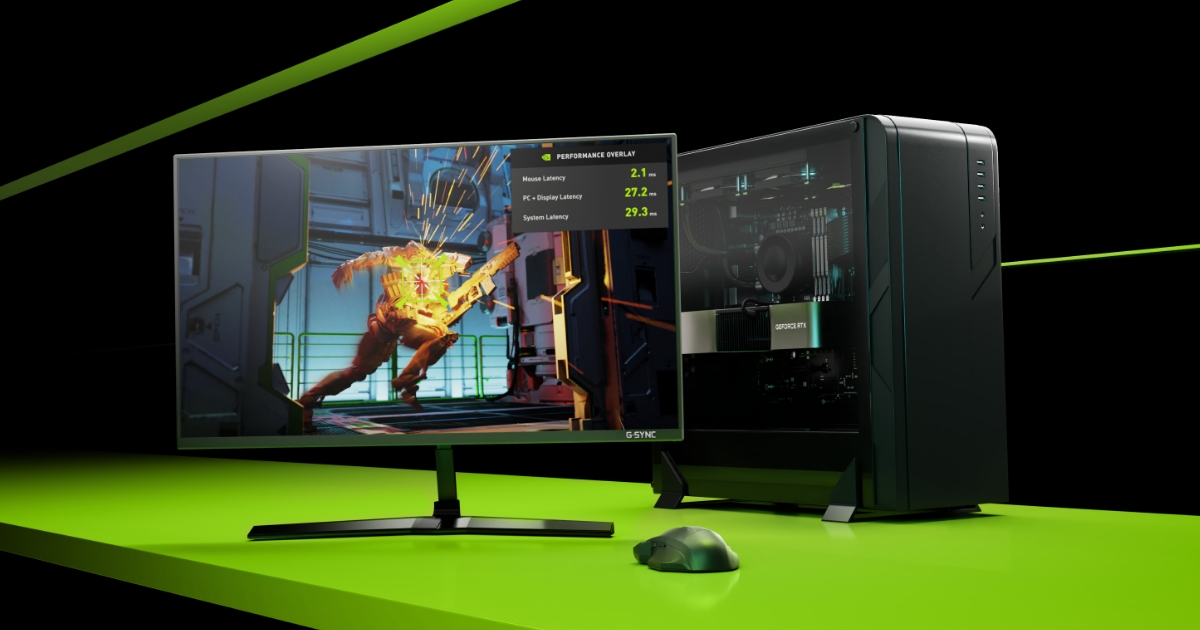
Enable NVIDIA Reflex or AMD Anti-Lag in any game that supports it-these reduce render queue latency by up to 75%. Reflex can feel like magic in shooters like Valorant or Apex Legends. For non-supported games, enable 'Ultra Low Latency' mode in the NVIDIA control panel (for DX9–11 titles). In Windows mouse settings, disable 'Enhance Pointer Precision'-yes, it's mouse acceleration in disguise that ruins muscle memory. Use Raw Input in every game that offers it. Also, disable overlays: Discord overlay, GeForce Experience overlay, and even Steam overlay can add 2–4 ms of latency. Close any RGB control software (iCUE, Synapse, etc.) before launching. Finally, run games in 'Fullscreen' rather than 'Borderless Windowed' unless you need quick alt-tabbing; it reduces input lag by bypassing the desktop compositor.
“I swear half my deaths in Apex are because the game stutters right when I'm in a fight. I can't tell if it's my aim or my PC anymore.”
— r/pcgaming user
The Skill Acquisition Engine: How to Actually Get Better
With your PC humming, the real work begins. Most players plateau because they confuse 'playing' with 'practicing.' Grinding ranked matches is not deliberate practice-it's just repetition. To learn how to master any game in 2026, you need to train your brain and muscles with the same precision you tuned your PC. The science of skill acquisition gives us three proven methods: deliberate practice, spaced repetition, and state-dependent learning.
Deliberate Practice: Isolate, Drill, Review
Esports coaches swear by three techniques: isolation, replay analysis, and limit-testing. First, isolate a specific mechanic. If your tracking aim is weak, spend 20 minutes daily in KovaaK's or Aim Lab on tracking scenarios (e.g., Close Long Strafes Invincible), not just playing your game. If you keep missing parries in a soulslike, find a low-level enemy and drill nothing but parry timing for 15 minutes. In fighting games, set the dummy to repeat a specific mix-up you struggle with and practice responding until it's automatic. 'Most people just queue ranked and call it practice. That's not practice, that's just playing,' one r/truegaming veteran noted. 'You need to isolate your weaknesses and drill them until they're not weaknesses anymore.'
Second, review your own gameplay. Use OBS or Shadowplay to record a full match, then watch it at half speed. Ask: did I die because I missed a shot, or because I made a bad decision? Most deaths in tactical shooters and MOBAs are the result of positioning errors, not poor aim. Third, limit-test in controlled environments. In extraction shooters, run offline raids to learn spawns and loot paths without pressure. In card games, use free-play modes to test hand evaluations and sequencing before ranked. This deliberate practice mindset is the fastest way to master difficult PC games without burning out.
Spaced Repetition and State-Dependent Learning
Science backs this up. Spaced repetition-practicing a skill in short, frequent sessions with increasing difficulty-is proven to build motor skills faster than marathon sessions. Instead of grinding aim for three hours straight, do three 20-minute sessions throughout the day. Your brain consolidates muscle memory during rest. A sample daily routine: morning session on pure aim drills (20 min), afternoon on movement tech (20 min), evening VOD review of pro players (15 min) followed by one ranked game with a specific focus. This prevents burnout and accelerates learning.
Equally important is state-dependent learning: practice under the same conditions you'll perform in. Same chair, same peripherals, same caffeine state, same monitor height. Your muscle memory is context-sensitive. If you swap mouse sensitivity every week, you're sabotaging months of progress. Stick to one sensitivity (measured in cm/360) for at least 30 days before even considering a change. Pro players often use large mouse pads and low sensitivity (400–800 DPI) for precise tracking, but the key is consistency.
Universal Pro Gamer Tips That Work in Any Genre
Beyond mechanical drills, the best universal pro gamer tips center on mindset and routine. Always warm up before competitive matches: 5–10 minutes in a practice range or unranked mode. Set a clear, measurable goal for each session, like 'I will not die to early-game ganks' or 'I will hit 80% accuracy on my flick shots.' After a loss, write down one thing you did well and one thing to improve-this keeps you from spiraling. Finally, manage tilt by taking a 5-minute break after two consecutive losses. Stand up, stretch, drink water. Your rank will thank you.
Case Study: Conquering Fatekeeper's Brutal Early Access
Let's apply all this to a real 2026 challenge. Fatekeeper, the first-person action RPG by Paraglacial/THQ Nordic, launched into Early Access on June 2, 2026, and immediately earned a reputation for being merciless. There's no difficulty slider; the reactive melee system and enemy placement are the curve. The first boss, the Minotaur, ended countless runs. 'I've been at this boss for two hours. I'm a mage build and it feels like the game just says 'no' to my entire character. I'm about to refund,' one player posted. The game was patched to make the Minotaur more reasonable, but the lesson stands: you need a strategy, not just reflexes.
Here's the universal Fatekeeper playbook that emerged from the community and our own testing: Master the dash mechanic first. Dash through attacks, not away from them, to position behind enemies-this is your number one survival tool. Invest in Telekinesis early to counter ranged archers by pulling them into melee range. For the Minotaur, a hybrid melee build (Blood Knight primary) is far more forgiving than a full magic build; you need the poise to trade hits. Focus one enemy to zero before engaging another-the game punishes splitting damage harshly. Always check weapon durability before boss fights and carry a backup. Equip relics at save points before difficult sections; they're easy to forget but grant massive buffs. These aren't just Fatekeeper tips; they're a template for any tough action game: learn the defensive mechanic, exploit enemy weaknesses, and prepare your loadout.
The same principles apply to other 2026 hard-hitters. In Marathon's high-stakes extraction runs, the dash and environmental awareness reign supreme-always scan for third-party angles. In any soulslike, the deliberate practice loop of isolating a boss's tricky combo and drilling the dodge pattern is how you master difficult PC games without help. These techniques aren't genre-specific; they're the core of skill-building.
The Universal Pro Gamer Toolkit
Every master has their tools. Here's what you need in 2026, all free and community-trusted. MSI Afterburner + HWiNFO64: real-time monitoring of GPU temperature, clock speed, VRAM usage, and FPS. If your GPU is hitting 85°C and throttling, you'll see it instantly and can adjust fan curves or repaste. DDU (Display Driver Uninstaller): the nuclear option for GPU driver problems; use it in Safe Mode for a truly clean slate. NVIDIA Reflex / AMD Anti-Lag: enable in-game whenever possible for free latency reduction. OBS or Shadowplay: for replay analysis; record your sessions and watch them back with a critical eye. Aim trainers: KovaaK's or Aim Lab offer curated scenarios that isolate specific motor skills. For settings optimization, resources like the Marathon settings guide from Switchblade Gaming provide game-specific tweaks for visibility, frame pacing, and input handling. And finally, RTSS (RivaTuner Statistics Server) for frame capping: it creates the smoothest frame time graphs and works with every game.
From the Sweat to the Sofa
You've tuned your PC to perfection. You've drilled your aim, reviewed your replays, and finally beat that boss. Now, reward yourself. Not every session needs to be a high-stakes ranked grind. Sometimes the best way to master a game is to enjoy it in the most comfortable way possible-kicked back on your couch, controller in hand, with zero friction between you and your library.
Reward Your Hard Work
You've optimized everything else. Now optimize your comfort.
After all that tweaking and training, you deserve a launcher that just works from the couch. warmUP unifies your Steam, Epic, GOG, and emulator libraries into one controller-first interface-no setup, no keyboard required. Boot straight into your game and keep the good vibes going.
Final Takeaways: Your 2026 Mastery Checklist
How to Master Any Game in 2026
- Enable AI upscaling (DLSS/FSR/XeSS) on Quality/Balanced for up to 40% FPS boost.
- Clean install GPU drivers with DDU in Safe Mode to fix 70% of crashes and frame pacing issues.
- Use G-Sync/FreeSync with a frame cap below refresh rate, and enable NVIDIA Reflex to kill input lag.
- Monitor RAM and GPU temps with MSI Afterburner; stuttering above 90% RAM usage means close background apps.
- Practice deliberately: isolate mechanics, review replays, and limit-test in controlled scenarios-don't just grind ranked.
- Apply spaced repetition (short, frequent sessions) and keep your setup consistent for state-dependent learning.
- In tough action games like Fatekeeper, master the defensive mechanic first, exploit enemy weaknesses, and prepare your loadout before bosses.
Mastering any game in 2026 is a system, not a mystery. Fix the technical bottlenecks, adopt a deliberate practice routine, and give yourself the right environment to perform. Whether you're chasing a world record or just trying to see the credits, these principles will get you there. Now go break some controllers-in a good way.
Written by
Mika Lindqvist
Hardware & Performance
Mika benchmarks everything that runs a game — from handhelds to living-room rigs. If a frame drops, he wants to know why.
Comments(0)
No comments yet. Be the first to share your thoughts.