

Dead Space Remake is a masterclass in survival horror-a terrifyingly faithful reimagining that ratchets up the tension with every creaking corridor. But if you've played the PC version recently, you know the real nightmare isn't the Necromorphs; it's the stuttering. This Dead Space Remake PC performance guide is your cure. Whether you're on a brand-new RTX 50-series rig or an older GPU, we'll walk you through the definitive fixes, optimized settings, and smart trade-offs that finally make the experience worth replaying in 2026.
Why Dead Space Remake Still Stutters on PC
Frostbite has always been a temperamental engine, and Dead Space Remake inherited its fair share of compilation woes. Digital Foundry's tech analysis pinned down two distinct stutter types: shader compilation stutter-which mostly resolves after the initial boot-and traversal stutter that rears its head every time you cross an invisible map boundary. Worse, that traversal hitch repeats every single time you walk through the same area, even on a second playthrough.
“the stutters that happen occasionally during gameplay – regardless of the hardware and settings you use – are fairly annoying.”
— Notebookcheck Dead Space Remake benchmarks
The severity scales inversely with your CPU single-thread speed: a Ryzen 5 3600 might see 100 ms spikes, while a Core i9-12900K can get hit with 150 ms stalls. That means even bleeding-edge hardware isn't immune. EA and Motive never shipped an official stutter patch, leaving players to cobble together workarounds. In 2026, however, we have a proper, driver-level ace up our sleeve.
Nvidia Smooth Motion: The Real Stutter Fix
If you own an RTX 50-series graphics card, you can completely neutralize Dead Space's most jarring performance hiccups with Nvidia Smooth Motion. This driver-side feature, introduced with the Blackwell architecture, uses AI to generate interpolation frames that mask both shader-related micro-stutter and Frostbite's notorious traversal spikes. The result is a night-and-day transformation.

“The difference is night and day - gameplay becomes fluid, responsive, and finally free of the micro-stutters that have plagued it since release.”
— PCGN Dead Space Remake stutter fix article
Enabling it is dead simple: open the Nvidia Control Panel (or the new Nvidia App), navigate to the Dead Space Remake profile, and toggle Smooth Motion on. No config file edits, no third-party tools. The feature works harmoniously with DLSS-since the game only supports DLSS 2 (Super Resolution), Smooth Motion fills the frame-generation gap that DLSS 3 would have, but without requiring engine-level integration. Just remember that Smooth Motion is exclusive to the RTX 50 series; older GPUs will need the alternative fixes below.
Smooth Motion Quick Steps
- Ensure you have an RTX 5070, 5080, or higher GPU.
- Update to Game Ready Driver 566.xx or newer.
- Open Nvidia App → Graphics → Program Settings → Dead Space.
- Enable Smooth Motion and apply settings.
- Launch the game; enjoy fluid gameplay.
Optimized Graphics Settings for Every GPU
Even with stuttering tamed, you'll want a settings profile that delivers sharp visuals without tanking your frame rate. The game's Ultra preset is absurdly demanding-a desktop RTX 4090 can't hold 120 fps at 4K native, and RTAO alone can claw back 15-20% of your performance. Based on Digital Foundry's recommendations and our own 2026 re-tests, here are the sweet spots.
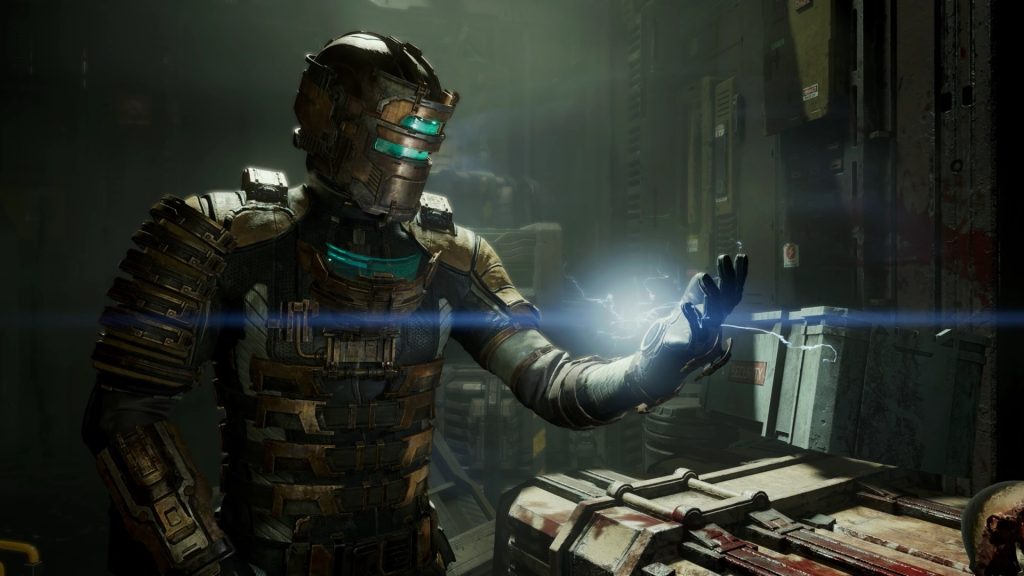
Start with the Medium preset as your baseline, then tweak upward. Set Volumetric Resolution to Medium-this controls fog and particle density, and the visual difference from High is barely perceptible while frame rates jump by around 8%. Ambient Occlusion should be set to SSAO if you're on a GPU below an RTX 2080; RTAO adds richer shadowing but is only worthwhile on modern midrange cards and above. Shadows and Lighting Quality can both stay at Medium, which recoups a further 10-12% of performance with minimal fidelity loss. Finally, disable Variable Rate Shading (VRS) completely-the launch version's VRS was broken and made shadows unnaturally dark; a patch fixed the darkness but the setting still degrades fine details like distant text and grate patterns.
Recommended Settings Cheat Sheet
- Volumetric Resolution: Medium
- Ambient Occlusion: SSAO (RTAO if RTX 2080 or above)
- Shadows: Medium
- Lighting Quality: Medium
- Motion Blur: Off or user preference
- Variable Rate Shading: Off
- DLSS: Quality (preferred over FSR-see below)
- Texture Filtering LOD Bias: Adjust via Nvidia Profile Inspector
DLSS vs FSR is an easy choice here. Digital Foundry noted that FSR 2.0 introduces noticeable ghosting on particle effects and flickering in the animated user interface; DLSS, even in its older 2.x implementation, delivers a cleaner image with more stable motion. If you must use FSR, try capping the sharpening slider at 50% to reduce artifacts. Owners of AMD RDNA 3 or 4 GPUs should stick to FSR Balanced or Quality and live with the ghosting-it's still better than the internal scaler.
One lingering bug: both DLSS and FSR apply an incorrect texture LOD bias, which can make surfaces look slightly blurrier than they should. On Nvidia cards, you can fix this in Nvidia Profile Inspector by setting Texture Filtering – LOD Bias (DX) to a value like -0.5. It's a tiny tweak, but on a big 4K TV, the added sharpness is worth the thirty seconds it takes.
Quick Fixes for Common Issues
Not every problem needs a driver-level miracle. A handful of community-discovered fixes still hold up in 2026 and can salvage a playthrough for those without RTX 50 hardware.
The shader cache trick is the most famous. Go to %PROGRAMDATA%\Electronic Arts\Dead Space\cache, delete all files, disable Motion Blur in-game, then launch and let the shaders recompile (this can take several minutes). The game will run markedly smoother-until you touch any graphics setting again, at which point the stutters return. It's a band-aid, but it works for a full play session if you're disciplined.
Always quit and restart after changing graphics settings. The engine doesn't properly flush resources when you toggle RTAO or resolution scaling mid-game, leading to persistent frame drops that vanish after a fresh launch. It's an annoyance, but a consistent one.
Storage matters more than you'd think. Dead Space Remake is designed around an SSD; running it from a mechanical hard drive causes seconds-long freezes when the game streams new ship sections. With the game's ~35 GB install size, even a budget SATA SSD will keep you in the action.
“the visuals don't feel very smooth even when the game is running at high frame rates.”
— Notebookcheck Dead Space Remake review
For those still seeing erratic frame pacing, try capping your frame rate with RTSS (RivaTuner) two frames below your monitor's refresh rate while using VSync + G-Sync. The in-game limiter is unreliable, and Frostbite's own frametime graph benefits from an external cap more than most titles.
What the Community Says-and What the Devs Won't Fix
Frustration in the PC gaming community has simmered for years. The game never received an official update to mitigate traversal stutter, and Motive Studio has stated unequivocally that mod support is not planned. That means no community-made stutter-removal patches, no script extenders-only driver-level interventions and config file tweaks.

“It's frustrating that EA never officially fixed this problem, but at least the community has delivered a real solution.”
— PCGN Dead Space Remake stutter fix article
The absence of a 180-degree quick-turn is another design choice that occasionally gets misattributed as a technical flaw. In a 2023 interview, developers explained that the mechanic was deliberately omitted to preserve the feeling of being pressed by an almost unstoppable enemy-a gameplay decision, not a bug. PC players can't mod it in, so you'll have to rely on good positioning and audio cues instead.
The Couch Factor: Why Smooth Horror Deserves a Big Screen
Once you've dialed in these settings and banished the stutters, Dead Space Remake becomes a prime candidate for living-room play. The atmospheric soundscape and zero-gravity set-pieces hit differently on a large OLED, and the game's controller support is flawless. But launching it from the couch often means wrestling with EA's launcher, a wireless keyboard, and the friction of a desktop interface.
That's where a couch-first, zero-setup launcher can transform your evening. Imagine powering on your PC, grabbing a controller, and sliding straight into the Ishimura-no launcher pop-ups, no tweaking. It's the final piece of the console-like puzzle that even the best performance guide can't provide.
Smooth gaming on the big screen
Experience Dead Space Remake on the Couch
warmUP turns your PC into a console. No fiddling with launchers, no keyboard required - just grab a controller and play. Join the waitlist for early access.
Final Recommendations
- Use Nvidia Smooth Motion on RTX 50‑series GPUs to eliminate stutters entirely.
- Drop Volumetric Resolution, Shadows, and Lighting Quality to Medium for a free 20‑25% frame-rate boost.
- Stick with DLSS Quality; avoid FSR unless you have an AMD card and can tolerate particle ghosting.
- Apply the Texture Filtering LOD Bias fix via Nvidia Profile Inspector for crisper visuals.
- Always launch from an SSD and restart after changing any graphics setting.
- If you're playing from the couch, consider a controller‑first launcher to complete the horror‑movie experience.
Written by
Mika Lindqvist
Hardware & Performance
Mika benchmarks everything that runs a game — from handhelds to living-room rigs. If a frame drops, he wants to know why.
Comments(0)
No comments yet. Be the first to share your thoughts.